








Unblocked Games WTF
  • A-Z List
  • All Games
    • .io Games
    • 2 Player
    • 3D Games
    • Action
    • Adventure
    • Arcade & Casual
    • Ball
    • Basketball
    • Battle Royale
    • Bike
    • Brain game
    • Building
    • Car
    • Challenge
    • Clicker
    • Crazy
    • Cute
    • Defense
    • Drawing
    • Dress Up
    • Driving
    • Escape
    • Fighting
    • Flying
    • FNF
    • FPS
    • Fun
    • Horror
    • Jumping
    • Minecraft & Sandbox
    • Mouse
    • Multiplayer
    • Music Game
    • Party game
    • Platform
    • Puzzle & Brain
    • Quiz
    • Racing & Driving
    • Rap Battle
    • Rhythm
    • Room
    • Run
    • Shooting
    • Snake
    • Sports
    • Stickman
    • Tank
    • Track
    • Trap
    • Trivia
  • Blog
  • Topsy TurvyPLAY NOW!
    Topsy Turvy
    0 votes, average: 0.00 out of 50 votes, average: 0.00 out of 50 votes, average: 0.00 out of 50 votes, average: 0.00 out of 50 votes, average: 0.00 out of 5
    1
  • Merge LagoonPLAY NOW!
    Merge Lagoon
    0 votes, average: 0.00 out of 50 votes, average: 0.00 out of 50 votes, average: 0.00 out of 50 votes, average: 0.00 out of 50 votes, average: 0.00 out of 5
    1
  • Maldives Hidden ObjectsPLAY NOW!
    Maldives Hidden Objects
    0 votes, average: 0.00 out of 50 votes, average: 0.00 out of 50 votes, average: 0.00 out of 50 votes, average: 0.00 out of 50 votes, average: 0.00 out of 5
    3
  • Hole PuzzlePLAY NOW!
    Hole Puzzle
    0 votes, average: 0.00 out of 50 votes, average: 0.00 out of 50 votes, average: 0.00 out of 50 votes, average: 0.00 out of 50 votes, average: 0.00 out of 5
    1
  • Doctor ChickenPLAY NOW!
    Doctor Chicken
    0 votes, average: 0.00 out of 50 votes, average: 0.00 out of 50 votes, average: 0.00 out of 50 votes, average: 0.00 out of 50 votes, average: 0.00 out of 5
    3
  • Arrow Count MasterPLAY NOW!
    Arrow Count Master
    0 votes, average: 0.00 out of 50 votes, average: 0.00 out of 50 votes, average: 0.00 out of 50 votes, average: 0.00 out of 50 votes, average: 0.00 out of 5
    1
  • Eggy BeatsPLAY NOW!
    Eggy Beats
    0 votes, average: 0.00 out of 50 votes, average: 0.00 out of 50 votes, average: 0.00 out of 50 votes, average: 0.00 out of 50 votes, average: 0.00 out of 5
    2
  • Ninja SurvivorPLAY NOW!
    Ninja Survivor
    0 votes, average: 0.00 out of 50 votes, average: 0.00 out of 50 votes, average: 0.00 out of 50 votes, average: 0.00 out of 50 votes, average: 0.00 out of 5
    2
  • Word Jam Association PuzzlePLAY NOW!
    Word Jam Association ..
    0 votes, average: 0.00 out of 50 votes, average: 0.00 out of 50 votes, average: 0.00 out of 50 votes, average: 0.00 out of 50 votes, average: 0.00 out of 5
    0
  • Bubble Shooter ValePLAY NOW!
    Bubble Shooter Vale
    0 votes, average: 0.00 out of 50 votes, average: 0.00 out of 50 votes, average: 0.00 out of 50 votes, average: 0.00 out of 50 votes, average: 0.00 out of 5
    0
NEW
  • Topsy Turvy - A spooky-cute arcade puzzler where you control a quirky little steampunk cannon. Shoot and match creepy eyeballs or skull...
  • Merge Lagoon - Escape to Merge Lagoon — your own tropical adventure full of sunshine, island secrets, and satisfying merges! Help Lucy restore...
  • Maldives Hidden Objects - “Maldives Hidden Objects” is a relaxing and beautiful puzzle game that takes you to a tropical paradise. Forget...
  • Hole Puzzle - Hole Puzzle is a fun and addictive casual game where a hungry cat with a magical black-hole mouth is ready to eat everything...
  • Doctor Chicken - It looks like all the kids in town have turned into little monsters! Hurry and heal them all! You need to feed them sweets...
  • Arrow Count Master - Arrow Count Master is a fast and satisfying runner where every choice changes your firepower. Swipe to move and choose between...
  • Eggy Beats - Eggy Beats is a fun and interactive rhythm game designed for kids. Tap the eggs to create sounds and build your own music...
  • Ninja Survivor - Become a nimble ninja and embark on a dangerous adventure through many levels filled with traps, enemies, and puzzles. Explore...
  • Word Jam Association Puzzle - Dive into the ultimate brain puzzle challenge with Word Jam – Association Puzzle! It’s a word lover’s dream! Your task...
  • Bubble Shooter Vale - Bubble Shooter Vale is a fun and relaxing bubble shooting puzzle game where you match colorful bubbles and clear the board...
  • Pop The Bubble - Think you have what it takes to master the bubble chaos? Precision is everything! Navigate tricky patterns, use boosters...
  • Connect the Dots – Color Lines - Relax, focus, and enjoy a calming puzzle experience in Connect the Dots — a relaxing single-player brain game designed to...
  • Blocky Archer Run - Draw, Aim, and Loose! Dash through challenging environments in this fast-paced, action-packed stickman adventure! Stick Archer...
  • Portal Hop - Portal Hop is a platform puzzle game where you carry a portal above your head and use it to solve tricky challenges! Move...
  • Sniper Master - Take aim in mid-air and strike at the perfect moment! In Sniper Master, you jump, float, and fire while airborne—time your...
  • SKYHILL: Escape From the Skyscraper! - Young businessman Perry arrives in town to close a lucrative deal. Perry rents a penthouse in the city’s most luxurious...
  • Toss The Ring - Ready to test your aim in Toss The Ring! This addictive ring-toss challenge turns simple throwing mechanics into an exciting...
  • Color Ring Sorting Match - Color Ring – Sorting Match is a vibrant and addictive sorting challenge that turns simple ring stacking into a clever...
  • Juice Merge - Juice Merge is a colorful and addictive merge puzzle game where you combine drinks to unlock new, more complex recipes. It’s...
  • GenFire - GenFire is a fast-paced top-down survival shooter where players fight endless waves of enemies in intense 360° combat. Survive...
  • Dusty Cat - Help the little speck of dust to grow into a real cat! Eat other dust, avoid larger enemies and grow to see all the phases...
  • Mr Stickman Gunner - Mr Stickman Gunner is an exciting 2D shooter game about stick little men. The game has an unusual aiming system. After each...
  • Garten Of BanBan 1 Escape - Enter Banban’s Kindergarten, and you’re sure to make some friends. Explore the mysterious establishment and don’t...
  • Snow Rider 3D - Snow Rider 3D is a downhill sled run through endless snowy slopes. Steer past trees, rocks and giant snowballs, catch air...
  • Obby – Escape Barry’s jail parkour - An incredible escape from the New Barry Prison awaits you! Cool locations, parkour and obby. Show your agility to avoid getting...
  • Cooking Empire - Cooking Empire is not just a cooking game, it’s a real explosion of flavors and speed! Start frying, boiling, baking and...
  • Kick Lucky Boxes Online - Kick Lucky Boxes Online is a fast-paced progression game where players launch lucky blocks across dangerous arenas to discover...
  • Basketball Fever - Basketball Fever is an arcade shooting game about rhythm at the arc. Drag with the mouse or swipe to set the curve and let...
  • Pool Duel - Play 8-ball pool against an opponent — pot your balls and sink the black. This is straight 8-ball against an opponent, no...
  • Mini Golf Battle - Sink your ball in the fewest strokes across creative mini golf courses. Scoring works the old-fashioned way: fewest strokes...
  • World Cup 2026 Soccer - World Cup 2026 Soccer lets you pick a national team and play through the tournament bracket, group stage to final. Matches...
  • Stick Duel Battle - Stick Duel Battle stages one-on-one shootouts in small arenas full of platforms and random weapon drops. Each round a new...
  • Head Soccer 2 Player - Head Soccer 2 Player puts two big-headed athletes in a tiny stadium with one ball and one rule: more goals when the clock...
  • 2 Player Head Basketball - 2 Player Head Basketball squeezes a full match into one keyboard. Player one moves with WASD, player two with the arrow keys,...
  • Mineblock Obby - Mineblock Obby borrows the obby format from Roblox and dresses it in Minecraft blocks. Each course is a string of jumps over...
Home / Blog / Mastering PUBG: A Step-by-Step Guide by Tim Harrison on Creating Your Own Dedicated Server and Custom Matches

Mastering PUBG: A Step-by-Step Guide by Tim Harrison on Creating Your Own Dedicated Server and Custom Matches

Blog Jeremy Patterson 06 Jan , 2024 0
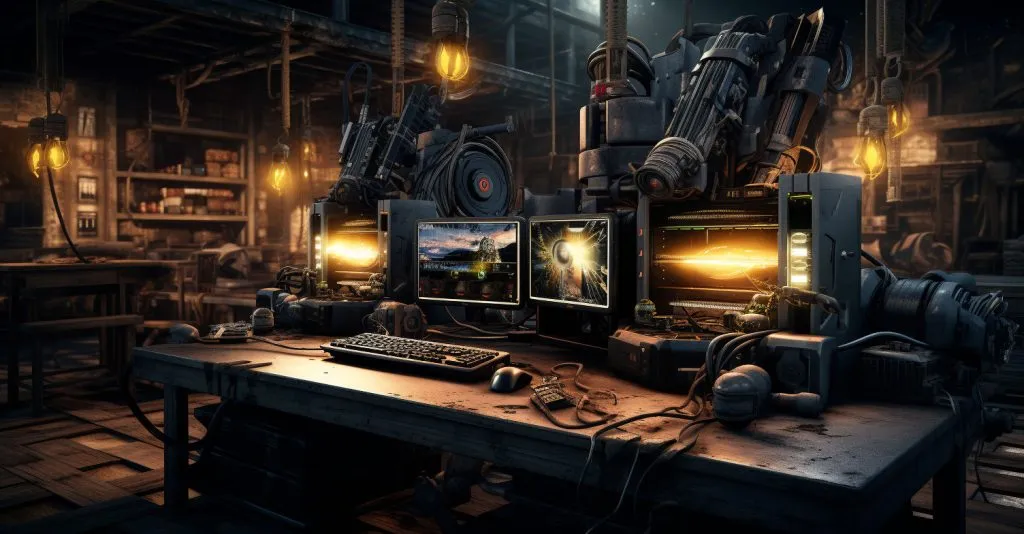
PUBG Dedicated Server Hardware Setup

How to Create a PUBG Dedicated Server and Custom Match?

PlayerUnknown’s Battlegrounds, known as PUBG, is a seminal battle royale game. It revolutionized the gaming landscape. They launched PUBG in 2017. It gained immense popularity for its intense, last-man-standing gameplay. The game is set in expansive, realistic environments. It pits many players against each other in a high-stakes competition. Survival and strategic prowess determine victory. The engaging gameplay of PUBG is what contributes to its success. Dedicated servers and custom matches create dynamic experiences.

Dedicated PUBG servers provide a stable, lag-free environment. Players can engage in fierce battles. These servers serve as centralized hubs, ensuring seamless connectivity. They also reduce latency, enhancing the gaming experience. Furthermore, custom matches allow players to tailor their PUBG experience. They can create unique scenarios and experiment with various game settings. They can also compete with friends or specific communities. Dedicated servers and custom matches in PUBG elevate the gaming experience. They foster a sense of community. They enable personalized challenges within the ever-evolving battleground.

Understanding PUBG Dedicated Servers | Explained for WTF Games

PlayerUnknown’s Battlegrounds (PUBG) utilizes dedicated servers to enhance the gaming experience that millions of people around the world enjoy. These dedicated, centralized servers handle the game’s operations, from hosting matches to managing player connections. Understanding the purpose and benefits of PUBG dedicated servers provides insight into the technical backbone that supports the game’s immersive and competitive environment.

Purpose of PUBG Dedicated Servers

The primary purpose of dedicated servers in PUBG is to ensure a stable and reliable gaming environment. Unlike peer-to-peer connections, where one player’s device may be the host, dedicated servers function as centralized hubs. This centralized structure reduces latency, ensuring a smoother experience for all players. Dedicated servers also contribute to fair gameplay by mitigating issues like host advantage, creating a level playing field for everyone involved. They play a crucial role in handling the complexities of large-scale battles, where numerous players interact simultaneously, requiring robust server infrastructure.

Benefits of PUBG Dedicated Servers

Stability and Reliability

Dedicated servers offer a dependable and steady foundation for PUBG matches, minimizing disruptions such as crashes or sudden disconnections. For competitive gameplay to remain authentic, this consistency is essential.

Reduced Latency

With a centralized server architecture, the PUBG dedicated server helps reduce latency, ensuring that actions performed in the game are quick and accurate for all players. This is vital in a fast-paced, high-stakes battle royale setting.

Security and Anti-Cheating Measures

Dedicated servers facilitate robust security measures, helping to prevent cheating and unauthorized activities within the game. This is essential for maintaining fair play and a positive gaming experience.

Types of Dedicated Servers in PUBG

PUBG employs different types of dedicated servers to cater to diverse player needs and scenarios. These server types contribute to the adaptability and scalability of the game, allowing for a dynamic and responsive gaming environment.

Public Dedicated Servers

  • These servers host standard PUBG matches that are accessible to all players.
  • They form the game’s backbone, accommodating a vast player base concurrently.

Private Dedicated Servers

  • Reserved for custom matches and private gaming sessions.
  • Players can personalize settings, creating unique scenarios for themselves or their communities.

Step-by-Step Guide for Installing a PUBG Dedicated Server

PlayerUnknown’s Battlegrounds (PUBG) allows players to host their dedicated servers, providing a customized gaming experience. Setting up a dedicated server requires careful attention to detail, ensuring a smooth and stable environment for intense battles. Follow this comprehensive step-by-step guide to install your PUBG dedicated server.

System Requirements

Before delving into the installation process, ensure your system meets the requirements. PUBG dedicated servers demand a robust setup, including a powerful processor, sufficient RAM, and ample storage space. Refer to the official PUBG server documentation for specific hardware and software prerequisites.

    1. Download and Extract Server Files

  • Visit the official PUBG server download page.
  • Download the dedicated server files corresponding to your operating system (Windows or Linux).
  • On your computer, extract the downloaded files into a designated folder.
    1. Configure Server Settings

  • Navigate to the server configuration files within the extracted folder.
  • Proceed to access the server configuration file with a text editor.
  • Adjust server settings such as game mode, map rotation, and server name according to your preferences.
  • Save the changes to the configuration file.
    1. Set Up Firewall Rules

  • Open the firewall settings on your server.
  • Create rules to allow inbound and outbound traffic on the necessary ports used by PUBG dedicated servers. Refer to the official PUBG documentation for port information.
  • Apply the firewall rules to ensure proper connectivity.
    1. Launch the Dedicated Server

  • Run the dedicated server executable file.
  • Watch for error messages or warnings in the console during the starting phase.
  • Once the server has started successfully, you’ll see confirmation messages indicating it’s ready to accept connections.
    1. Test Server Connectivity

  • Launch PUBG on a client machine.
  • Navigate to the custom match section and attempt to connect to your dedicated server.
  • If successful, you should see the server in the server list, and players can join.
    1. Configure Admin Settings

  • Set up administrator privileges by creating an admin password.
  • Access the server console and log in as an admin using the configured password.
  • Familiarise with admin commands for managing the server during gameplay.
    1. Monitor Server Performance

  • Regularly check server logs for any issues or warnings. Monitor server performance metrics to ensure optimal gameplay experience.
  • Address any issues promptly to maintain a stable environment.
    1. Update Server Files (If Necessary)

  • Keep an eye on official PUBG server updates.
  • You must be aware of how to download PUBG matches and update your dedicated server files to continue working with the game’s most recent version.
    1. Document and Share Server Information

  • Create documentation outlining server details, rules, and admin contacts.
  • Share this information with potential players to facilitate ideas for PUBG custom matches.

Following these steps, you’ll successfully install and set up a PUBG dedicated server, unlocking the ability to host custom matches and create unique gaming experiences for you and your community.

How to Create Custom Matches in PUBG?

Custom matches in PlayerUnknown’s Battlegrounds (PUBG) let players personalize their gaming experience, creating unique challenges. Beyond the game, profit opportunities available on PUBG gambling sites allow e-sports enthusiasts to bet on tournaments, adding an exciting dimension to the gaming landscape. The combination of customized in-game experiences and e-sports betting creates a dynamic and multifaceted gaming environment.

Accessing Custom Match Options

To initiate a custom match, launch PUBG and navigate to the game’s custom match section. This section is typically found in the main menu, providing an interface to configure various settings for your custom game.

Configuring Match Parameters

Once in the custom match section, you’ll have the option to configure a myriad of parameters. Customize the game mode, select specific maps, and define rules such as player count, loot settings, and circle behavior. PUBG’s flexibility allows you to experiment with combinations, fostering diverse and exciting gameplay scenarios.

Setting up Lobby Settings

Fine-tune the experience further by adjusting lobby settings. Define who can access your custom match—whether it’s open to the public or restricted to specific players. Customize the starting conditions, such as the initial safe zone location and available resources. These settings contribute to the overall atmosphere and challenges participants will face.

Creating custom matches in PUBG empowers players to curate their battlegrounds, fostering creativity and camaraderie within the gaming community. Whether you seek intense firefights, strategic encounters, or casual gameplay, custom matches provide a platform for personalized adventures in the ever-evolving world of PUBG.

Inviting Players to Custom Matches

Custom matches in PlayerUnknown’s Battlegrounds (PUBG) become genuinely engaging when you invite friends or a community to share the experience. Here’s a step-by-step guide on generating a custom match ID, sharing it, and having players join for an unforgettable gaming session.

Generating Custom Match ID with WTF Games

Once you’ve configured your desired custom match settings, the system generates a unique match ID. This identifier serves as the entry key for participants. Locate this ID within the custom match interface, usually displayed prominently for easy access.

Sharing ID with Players

Share the generated custom match ID with your intended participants. This can be through various channels, such as social media, messaging apps, or gaming communities. Ensure clarity in communication, providing instructions on where and how players can input the ID to join the match.

Pro Tip: For more private gatherings, consider sharing the ID exclusively with those you want to participate, maintaining control over who enters your custom match.

Joining the Custom Match

Players receiving the custom match ID can navigate to PUBG’s custom match section. This section has an option to input the unique match ID. Once entered, players should confirm and, if everything aligns, join the custom match you’ve orchestrated seamlessly.

Bottom Line

Enhancing the PUBG experience involves two pivotal aspects: dedicated servers and custom matches. Establishing dedicated servers ensures a stable and lag-free environment. It fosters fair and engaging gameplay. On another front, players can craft custom matches to shape unique scenarios and challenges. Installing dedicated servers demands attention to system requirements and meticulous configuration. Custom match creation involves thoughtful parameter adjustments and ID sharing. These elements work together. They help PUBG enthusiasts create personalized, dynamic gaming landscapes. The landscapes are within the ever-changing world of battle royale adventures.

FAQs

Which online bookmakers are widespread and legal for PUBG betting?

Among the top choices for PUBG betting are 10Bet, 888sport, Betway, and FansBet. These platforms provide legal and reputable options for esports enthusiasts to engage in PUBG wagering.
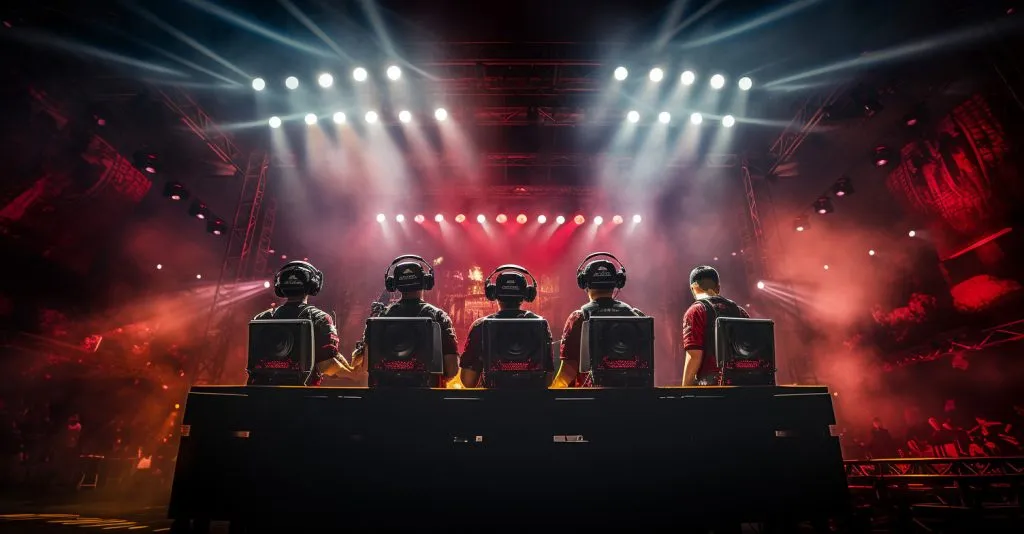
Who are the popular and successful PUBG teams?

Popular PUBG teams include Entropiq, Soniqs, NewHappy, FaZe Clan, and Heroic. Renowned for their skill and achievements, these teams contribute to the competitive landscape of PUBG esports.

Share: Facebook Twitter
Popular Games
  • FNAF Web Play
  • SQUID CHALLENGE Play
  • Gunspin Play
  • Granny Play
  • Sector 01 Play
  • CUBESHOT io Play
  • Baby Chicco Adventures Play
  • Super Fowlst Play
  • FERGE io Play
  • ROOM CLICKER Play
  • DARTS FRVR Play
  • TUNNEL RUSH Play
Latest Games
  • Topsy TurvyPlay
    Topsy Turvy
    0 votes, average: 0.00 out of 50 votes, average: 0.00 out of 50 votes, average: 0.00 out of 50 votes, average: 0.00 out of 50 votes, average: 0.00 out of 5
    1
  • Merge LagoonPlay
    Merge Lagoon
    0 votes, average: 0.00 out of 50 votes, average: 0.00 out of 50 votes, average: 0.00 out of 50 votes, average: 0.00 out of 50 votes, average: 0.00 out of 5
    1
  • Maldives Hidden ObjectsPlay
    Maldives Hidden ..
    0 votes, average: 0.00 out of 50 votes, average: 0.00 out of 50 votes, average: 0.00 out of 50 votes, average: 0.00 out of 50 votes, average: 0.00 out of 5
    3
  • Hole PuzzlePlay
    Hole Puzzle
    0 votes, average: 0.00 out of 50 votes, average: 0.00 out of 50 votes, average: 0.00 out of 50 votes, average: 0.00 out of 50 votes, average: 0.00 out of 5
    1
  • Doctor ChickenPlay
    Doctor Chicken
    0 votes, average: 0.00 out of 50 votes, average: 0.00 out of 50 votes, average: 0.00 out of 50 votes, average: 0.00 out of 50 votes, average: 0.00 out of 5
    3
  • Arrow Count MasterPlay
    Arrow Count Master
    0 votes, average: 0.00 out of 50 votes, average: 0.00 out of 50 votes, average: 0.00 out of 50 votes, average: 0.00 out of 50 votes, average: 0.00 out of 5
    1
  • Eggy BeatsPlay
    Eggy Beats
    0 votes, average: 0.00 out of 50 votes, average: 0.00 out of 50 votes, average: 0.00 out of 50 votes, average: 0.00 out of 50 votes, average: 0.00 out of 5
    2
  • Ninja SurvivorPlay
    Ninja Survivor
    0 votes, average: 0.00 out of 50 votes, average: 0.00 out of 50 votes, average: 0.00 out of 50 votes, average: 0.00 out of 50 votes, average: 0.00 out of 5
    2
  • Word Jam Association PuzzlePlay
    Word Jam ..
    0 votes, average: 0.00 out of 50 votes, average: 0.00 out of 50 votes, average: 0.00 out of 50 votes, average: 0.00 out of 50 votes, average: 0.00 out of 5
    0
  • Bubble Shooter ValePlay
    Bubble Shooter Vale
    0 votes, average: 0.00 out of 50 votes, average: 0.00 out of 50 votes, average: 0.00 out of 50 votes, average: 0.00 out of 50 votes, average: 0.00 out of 5
    0
  • Pop The BubblePlay
    Pop The Bubble
    0 votes, average: 0.00 out of 50 votes, average: 0.00 out of 50 votes, average: 0.00 out of 50 votes, average: 0.00 out of 50 votes, average: 0.00 out of 5
    0
  • Connect the Dots – Color LinesPlay
    Connect the Dots ..
    0 votes, average: 0.00 out of 50 votes, average: 0.00 out of 50 votes, average: 0.00 out of 50 votes, average: 0.00 out of 50 votes, average: 0.00 out of 5
    2
  • Privacy Policy
  • Terms of Service
  • Contact us
  • About us

Discover a world of exciting and addictive games at WTFGames.io! Your one-stop destination for the best online gaming experience. Stay connected with us on social media and never miss an update!

  • Facebook
  • YouTube
  • Mail

Copyright 2024 / Unblocked WTF / Unblocked Games WTF / WTF Games / SITEMAP

PRESS ENTER TO SEARCH